Download your GS Exam admission card easily through the official Department of Examinations website. Follow this step-by-step guide to access and print your hall ticket without errors.
GS Exam Admission Card Download – Complete Guide
The GS Exam admission card download option is now officially available. Candidates who have applied for the examination can easily download their admission cards through the Department of Examinations official website.
It is important to carry the admission card to the examination hall, as it serves as a mandatory document for entry.
How to Download the GS Exam Admission Card
Follow these simple steps to download your admission card:
- Visit the official Department of Examinations website
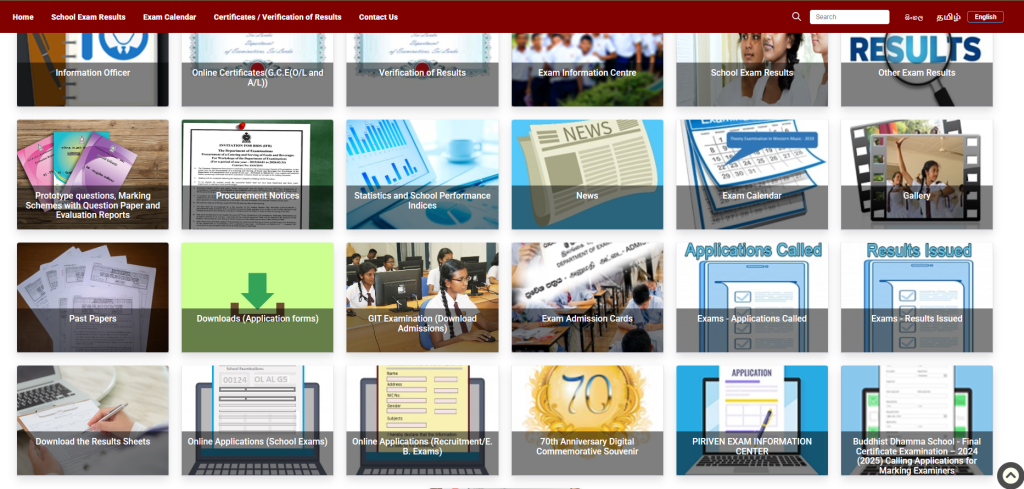
- Click on the “Exam Admission Card” option
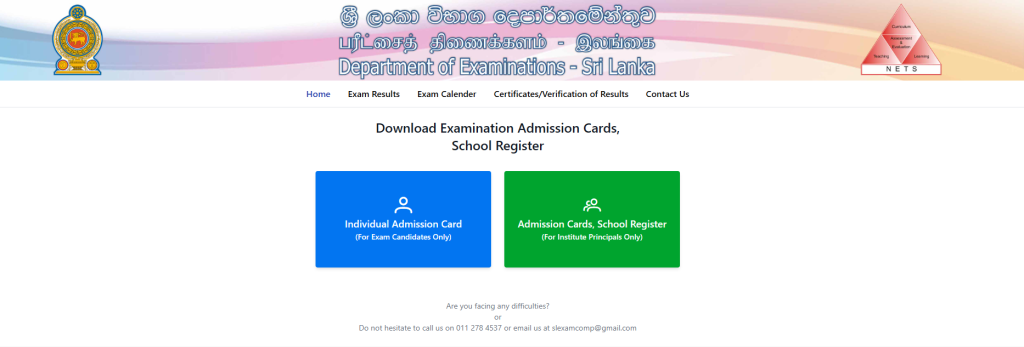
- Select the “Individual Admission Card” option
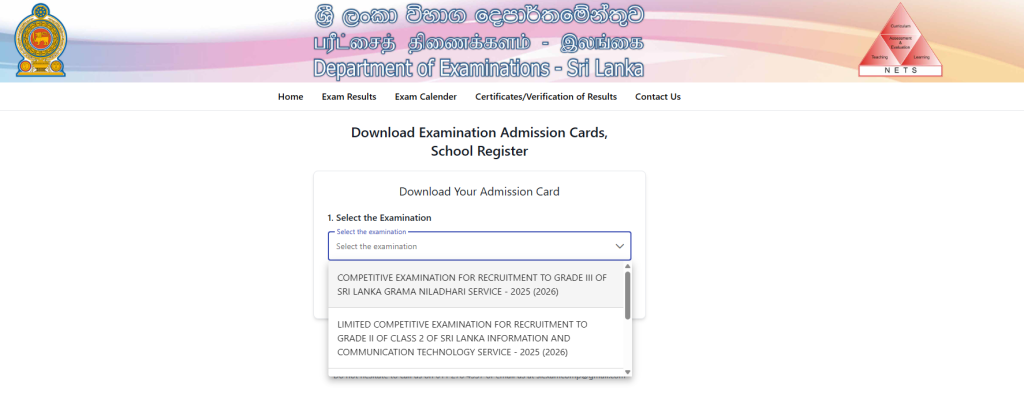
- Choose the relevant examination
- Select NIC or Index Number
- Enter your NIC or Index Number correctly
- Agree to the Terms & Conditions
- Complete the “I am Human” verification
- Click on the Download button
What to Do After Downloading the Admission Card
After downloading your GS exam admission card, make sure to complete the following steps:
- Print a clear copy of the admission card
- Place your signature in the candidate section
- Get the form attested by an authorized officer
Important Notes
- Double-check your details on the admission card
- Keep multiple printed copies for safety
- Do not wait until the last minute to download
Conclusion
Downloading the GS Exam admission card is a simple process if you follow the correct steps. Make sure to complete all required actions after downloading to avoid any issues on exam day.